Your window AC suddenly stops cooling right when you need it most, and the room feels stuffy and uncomfortable. A simple reset fixes most of these problems without calling a technician. Resetting a window air conditioner is a safe, beginner-friendly task that takes only minutes. This guide covers every method, from pressing a cord button to flipping your home’s circuit breaker. You’ll also learn what to do if the reset does not work and how to keep your unit running smoothly all summer.
Safety Steps Before You Reset Your Window AC
Taking a few precautions protects both you and your unit from electrical hazards.
Cut All Power First
Always unplug the unit or switch off its circuit breaker before starting. This prevents accidental startups and reduces the risk of electrical shock, especially if moisture is present near the outlet or unit.
Wear Basic Protective Gear
If you need to access panels or internal parts, put on rubber-soled shoes, gloves, and safety glasses. These protect against sharp edges, debris, and unexpected sparks from hidden electrical faults.
Follow Your Model’s Manual
Every brand has specific instructions. Check the user manual or the label inside the unit’s front panel. Skipping these steps can void your warranty or cause further damage.
Know When to Stop
Stop and call a professional immediately if you notice:
- Burnt or melted wires
- Foul odors like burning plastic or oil
- Visible refrigerant leaks
- A reset button that keeps tripping
These signs point to serious electrical or mechanical problems that require a licensed HVAC technician.
Where to Find the Reset Button on Your Window AC
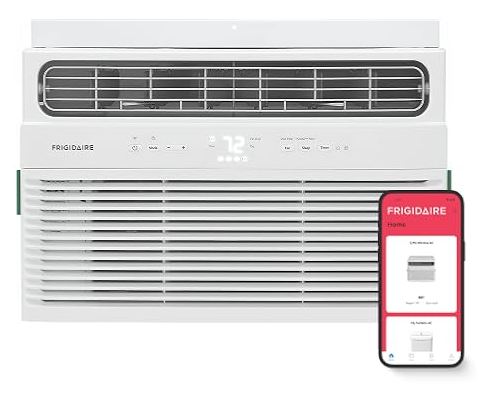
The reset mechanism location depends on your brand and model. Check these spots in order.
Check the Power Cord First
Many modern units, including Frigidaire and GE models, have a built-in circuit breaker on the power cord. Look for a small rectangular block with “RESET” and “TEST” buttons. It is usually red or yellow and easy to spot.
Pro Tip: If the reset button has popped out, your unit tripped its internal breaker due to an overload or power surge.
Look at the Front Control Panel
Some models place the reset button directly on the front control panel. It may be labeled “RESET” or hidden under a small cover. Use a paperclip to press it if recessed.
Inspect the Base or Back Panel
On certain units, the reset button sits near where the power cord enters the base. Others hide it behind a removable panel secured with screws. Use a screwdriver only if needed and always with power disconnected.
No Reset Button? Use the Breaker Instead
Older or simpler units may not have a dedicated button. In that case, a circuit breaker reset works just as well.
Three Reset Methods That Actually Work
Choose the method that matches your unit’s design and the severity of the problem.
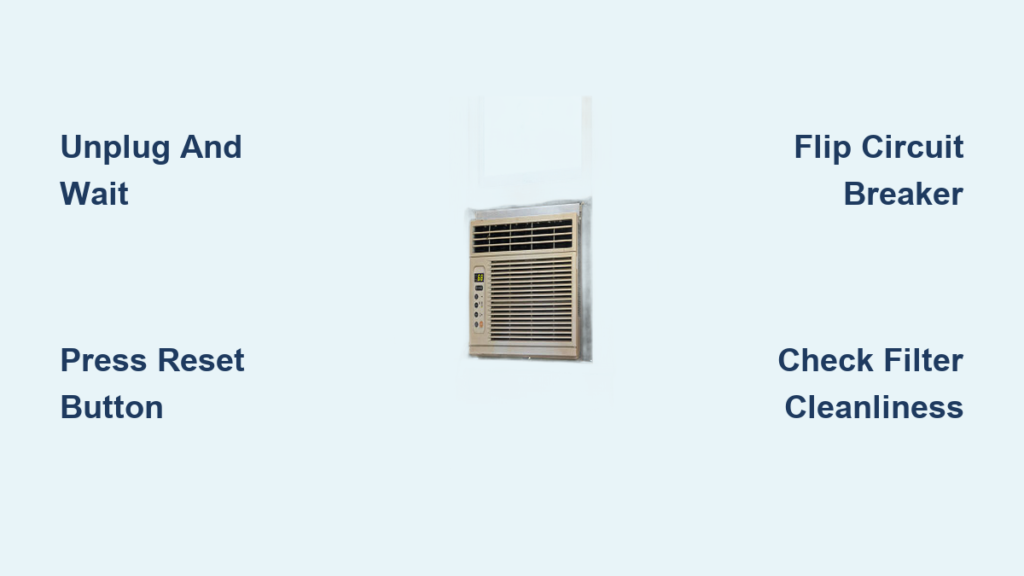
Method 1: Unplug and Wait 15 Seconds
Best for units without a reset button or minor glitches.
- Turn off the AC using the control panel.
- Unplug the cord from the wall outlet.
- Wait at least 15 seconds (use a timer for accuracy).
- Plug the cord back in.
- Turn the unit on and set it to COOL mode.
This clears temporary electronic errors and resets the control board.
Why 15 seconds? It gives capacitors time to discharge and allows internal pressure to stabilize for a safe reboot.
Method 2: Press the Plug-In Reset Button
Best for Frigidaire, GE, and other cord-breaker models.
- Turn off the unit at the control panel.
- Unplug it from the wall.
- Wait 15 seconds.
- Plug it back in.
- Press the RESET button on the cord plug until it clicks.
- Turn the unit on.
You should hear a click when the breaker re-engages. If it trips again right away, stop. There is a deeper electrical issue that needs professional attention.
Method 3: Perform a 10-Minute Breaker Reset
Best for stubborn units, compressor lockouts, or failed quick resets.
- Turn off the AC at the control panel.
- Go to your home’s electrical panel.
- Flip the breaker controlling the AC to OFF.
- Wait 10 full minutes.
- Flip the breaker back to ON.
- Return to the unit and turn it on.
Why 10 minutes? This gives the compressor time to fully depressurize, preventing damage during restart. It is the recommended deep reset for Frigidaire models.
Fix Compressor Problems After a Reset
If the unit powers on but the compressor does not kick in, follow this sequence.
Wait 3 Minutes for the Compressor Delay
After resetting, switching from FAN to COOL mode triggers a built-in 3-minute delay. This protects the compressor from rapid cycling damage.
- Set the thermostat below the current room temperature.
- Wait up to 3 minutes for the compressor to engage.
- Listen for a low hum or slight vibration.
If you hear nothing after 3 minutes, the compressor may be faulty or refrigerant levels may be low.
Avoid Short Cycling the Compressor
Never turn the unit off and on rapidly. Always wait at least 30 seconds, ideally 2 to 5 minutes, between power cycles. Repeated short cycling stresses the compressor and can cause permanent failure.
Brand-Specific Reset Tips for Frigidaire and GE

Different brands have unique quirks and error signals worth knowing.
Frigidaire Window AC Reset Steps
- Reset Location: Power cord plug.
- Standard Reset: Unplug, wait 15 seconds, plug back in, press RESET.
- Deep Reset: Turn off the circuit breaker for 10 minutes, then restore power.
- Filter Light On? Clean the filter first, then press the filter reset button or cycle power.
- No Cooling Below 62°F: Normal behavior. The unit will not cool if room temperature is below 62°F (17°C). Switch to FAN mode only.
- P1 Error Code: The water tank is full. Drain the unit immediately.
Pro Tip: If the coils are icy, run FAN mode for 1 to 2 hours to defrost before resetting.
GE Window AC Reset Guide
- Reset Type: Cord-based reset button (same as Frigidaire).
- Procedure: Unplug, wait 15 seconds, plug back in, press RESET.
- Support: GE recommends checking official support docs for your specific model number.
- Parts: Use only OEM filters and components to keep your warranty valid.
Note: GE units may take longer to restart after a deep reset. Be patient.
Troubleshoot Problems That Persist After a Reset
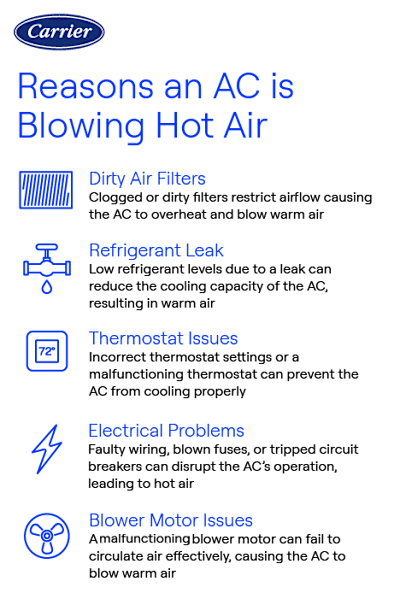
Even after a successful reset, some issues may continue. Diagnose them quickly.
Unit Blows Warm Air
Possible causes include thermostat errors, a tripped breaker, compressor failure, or a refrigerant leak.
Try these fixes:
- Confirm the mode is set to COOL.
- Check that the breaker has not tripped again.
- Wait 3 minutes for the compressor to engage.
- If warm air persists, call a technician. The problem is likely refrigerant or compressor related.
AC Will Not Turn On
Check these common culprits:
- Is the unit plugged in securely?
- Did the reset button pop out?
- Is the outlet working? Test it with a lamp.
- Is the fuse blown? Replace it only with a time-delay fuse.
Quick Test: Plug another device into the same outlet. If it does not work, the problem is in your home’s wiring, not the AC.
Low Airflow or Weak Cooling
The most common cause is a dirty air filter.
- Turn off the unit.
- Remove the front grille.
- Pull out the filter.
- Rinse it with water and let it dry completely.
- Reinstall the filter.
Maintenance Tip: Clean filters every 2 to 4 weeks during heavy summer use.
Other possible causes include a frozen evaporator coil (run FAN mode to defrost), an incorrect thermostat setting, or a room temperature below 62°F.
Unit Cycles On and Off Rapidly
Likely causes include a clogged air filter, a sensor touching the cold coil, or extreme outdoor heat.
Try these solutions:
- Clean the filter.
- Check behind the filter and straighten the temperature sensor if it is touching the coil.
- Increase fan speed to improve heat exchange.
Did You Know? On 100°F+ days, some cycling is normal due to high cooling demand.
Strange Noises After Reset
| Sound | Meaning | Action |
|---|---|---|
| Gurgling or Hissing | Refrigerant flowing | Normal |
| Rushing Air | Fan running | Normal |
| High-Pitched Chatter | Dehumidification mode | Normal on efficient models |
| Rattling or Buzzing | Loose parts or misalignment | Tighten screws or call a pro |
Warning: Loud banging or grinding means a serious mechanical fault. Shut the unit down immediately.
Water Leaking Inside
For window units, an inside leak usually means the unit is installed too flat or tilted inward. It should tilt slightly outward for proper drainage. Outside dripping is normal, especially in humid weather.
Fix: Adjust the installation angle. Never attempt to reseal while the unit is powered on.
Remote Control Not Working
Common fixes include:
- Replace the batteries.
- Stay within 20 feet and a 120° arc of the unit.
- Make sure “remote sensing” is not tricked by leaving the remote in direct sunlight.
Pro Tip: Some remotes disable cooling if they sense warmth. Move the remote to a cooler spot.
Prevent Future Resets With Simple Maintenance
Regular care reduces the need for emergency resets and extends your unit’s life.
Clean the Filter Monthly
Dirty filters are the number one cause of poor performance. Clean them every 2 to 4 weeks during summer.
Watch for Ice Buildup
If the coils freeze:
- Switch to FAN mode.
- Let the unit thaw for 1 to 2 hours.
- Clean the filter.
- Restart in COOL mode.
Check the Installation Angle
Window units must tilt slightly outward, about a quarter inch, for proper drainage. Recheck this once a year.
Schedule an Annual Professional Tune-Up
A certified technician can check refrigerant levels, inspect electrical connections, clean internal coils, and test compressor health.
Mistakes to Avoid When Resetting Your Window AC
- Ignoring warning signs like strange noises or smells
- Resetting repeatedly without diagnosing the root cause
- Using the wrong fuse type (always use time-delay fuses)
- Skipping filter maintenance
- Attempting internal electrical repairs
Fact: Repeated resets without fixing the underlying problem can damage the compressor or control board.
When to Call a Professional
Seek expert help if:
- The reset fails after two attempts
- The unit trips the breaker repeatedly
- You smell burning or oil
- There is a visible refrigerant leak (oily residue)
- The compressor hums but does not cool
- Water leaks indoors despite correct tilt
Emergency Note: If indoor heat index exceeds 90°F, especially with vulnerable household members, get help fast. Heat exhaustion is a serious risk.
Quick Reference: Reset Summary Table
| Issue | Solution | Wait Time |
|---|---|---|
| No power after outage | Unplug, wait 15s, replug, press RESET | 15 seconds |
| Compressor not starting | Breaker off, wait 10 min, restore | 10 minutes |
| Warm air output | Clean filter, check mode, wait 3 min | N/A |
| Rapid cycling | Clean filter, adjust sensor | N/A |
| Frozen coil | Run FAN mode until thawed | 1 to 2 hours |
| Remote not working | Replace batteries, check position | N/A |
Frequently Asked Questions About Resetting a Window Air Conditioner
How long do I need to wait after unplugging my window AC?
Wait at least 15 seconds for a standard reset. This allows capacitors to discharge and clears temporary electronic errors. For stubborn issues or compressor problems, a 10-minute circuit breaker reset works better.
Will resetting my window AC delete its settings?
A simple power cycle or reset usually preserves your basic settings. However, a deep breaker reset may reset the control board and clear programmed schedules or custom modes. You may need to reconfigure temperature and fan settings afterward.
Why does my window AC reset button keep tripping?
Repeated tripping signals an underlying electrical problem. Common causes include a failing compressor, short circuits, overloaded circuits, or a faulty capacitor. Stop pressing the reset button and call a licensed HVAC technician to diagnose the issue.
Can I reset my window AC without unplugging it?
Yes, if your unit has a reset button on the power cord or control panel. Press the button to restore operation. If your unit has no reset button, you must unplug it or flip the circuit breaker to perform a hard reset.
Is it safe to reset a window AC during a thunderstorm?
No. Avoid resetting or operating your AC during active thunderstorms. Power surges during storms can damage the unit’s electronics. Wait until the storm passes before attempting any reset procedure.
What if my window AC still does not cool after resetting?
Check the air filter first, as a clogged filter is the most common cause of weak cooling. Confirm the mode is set to COOL and the thermostat is below room temperature. If cooling still fails, you may have low refrigerant or a compressor issue requiring professional repair.
Key Takeaways for Resetting Your Window Air Conditioner
Resetting a window AC is one of the fastest ways to restore cooling after a glitch. The core steps are simple: power down, wait, reset, and restart. Most issues stem from dirty filters, power surges, or minor electronic glitches rather than major failures. Always prioritize safety by disconnecting power before starting. If your unit keeps tripping or refuses to cool after a proper reset, do not push it. Contact a licensed HVAC technician to protect both your investment and your comfort. With regular filter cleaning and annual maintenance, your window AC will keep you cool for many summers to come.