
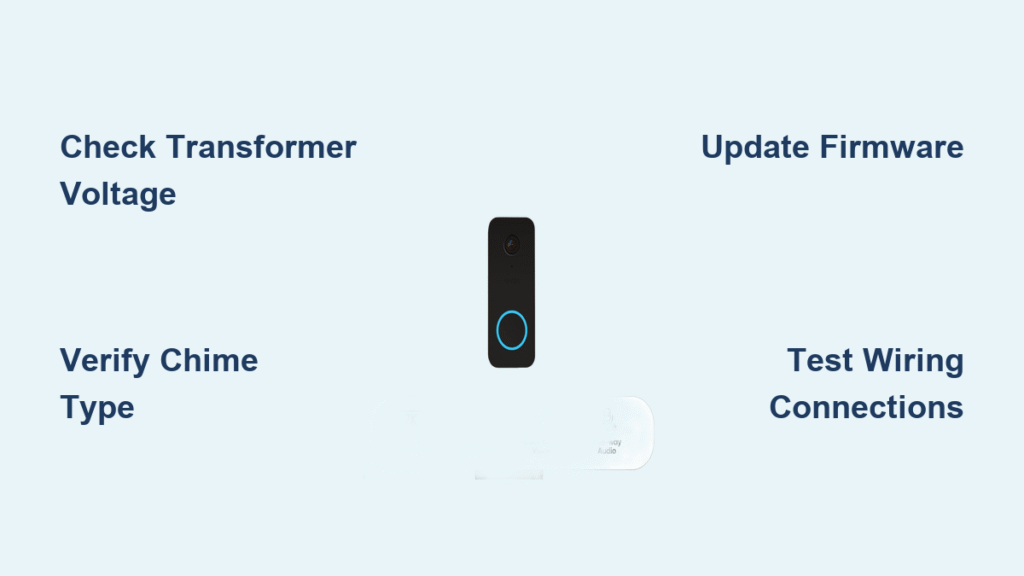
Your Wyze doorbell captures every visitor on camera and sends perfect notifications to your phone, but the indoor chime stays stubbornly silent. This frustrating disconnect affects thousands of homeowners who paid for a complete doorbell solution but only get half the functionality. When your Wyze doorbell not ringing issue strikes, you’re left constantly checking your phone instead of hearing that reassuring chime when someone’s at the door. The good news is that 95% of these silent chime problems stem from specific, fixable technical issues that don’t require replacing your entire system.
Verify Your Transformer Voltage Output

Most Wyze doorbell not ringing problems begin with inadequate power supply. Your doorbell needs 16-24 volts AC to simultaneously power the camera and activate your indoor chime, but many older homes have undersized transformers that can’t handle the dual load.
Test Transformer Output with Multimeter
Grab a digital multimeter and set it to AC voltage. With power on, carefully touch the probes to your transformer’s secondary terminals—you should see 16-24V. Readings below 16V mean your transformer can’t properly power both the camera and chime. For accurate testing, measure voltage at the chime box while someone presses the doorbell button; if voltage drops significantly during activation, your transformer is overloaded.
Replace Inadequate Transformers
If your voltage test reveals an undersized transformer, replace it with these specific models:
– Standard Wyze Video Doorbell: Honeywell AT140A1018 (16VAC, 10VA)
– Wyze Video Doorbell Pro: Honeywell AT175A1008 (24VAC, 20VA)
Critical safety step: Always turn off power at the breaker before touching any wiring. Most transformers hide near your electrical panel, furnace, or garage—trace the low-voltage wires from your chime box to locate yours. After installation, retest voltage to confirm proper operation before final assembly.
Identify Your Chime Type for Targeted Fixes

Different chime types require completely different solutions when your Wyze doorbell not ringing issue appears. The wrong fix for your specific chime can waste hours of troubleshooting time.
Mechanical Chime Characteristics
Remove your chime cover and look for visible electromagnetic coils, metal tone bars, and mechanical strikers. These traditional units typically work with Wyze doorbells but may need sensitivity adjustments. If you see plungers and coiled springs moving when the button is pressed (even if silent), you have a mechanical chime that likely just needs calibration.
Digital Chime Warning Signs
Digital chimes contain circuit boards, speakers, and LED indicators instead of moving parts. These modern units frequently misinterpret Wyze’s constant power draw as a fault condition, causing them to enter protection mode and stay silent. If your chime has electronic tones or requires battery backup, it’s digital and will need specific configuration or additional components to work properly.
Fix App Configuration Errors in Minutes
Software settings often cause your Wyze doorbell not ringing issue even when all hardware functions correctly. These digital fixes take less than five minutes but resolve many silent chime problems.
Update Doorbell Firmware Immediately
- Open Wyze app → Select your Doorbell → Settings → Device Info → Check Update
- Install any available updates (keep doorbell powered during process)
- Test chime immediately after update completes
Firmware versions prior to 4.25.1.060 contained chime control bugs that disabled mechanical chime functionality regardless of settings. Many users report their chime suddenly working after a simple firmware update.
Correct Critical Chime Settings
Navigate to Doorbell Settings → Chime Settings and verify:
– Select Mechanical for traditional ding-dong chimes
– Select Digital for electronic tone chimes
– Ensure Silent Mode remains OFF (this setting often gets toggled accidentally)
– Test chime operation after each change
If issues persist, perform a factory reset through the app settings, then reconfigure your doorbell from scratch—sometimes corrupted settings require this clean slate approach.
Repair Common Wiring Mistakes
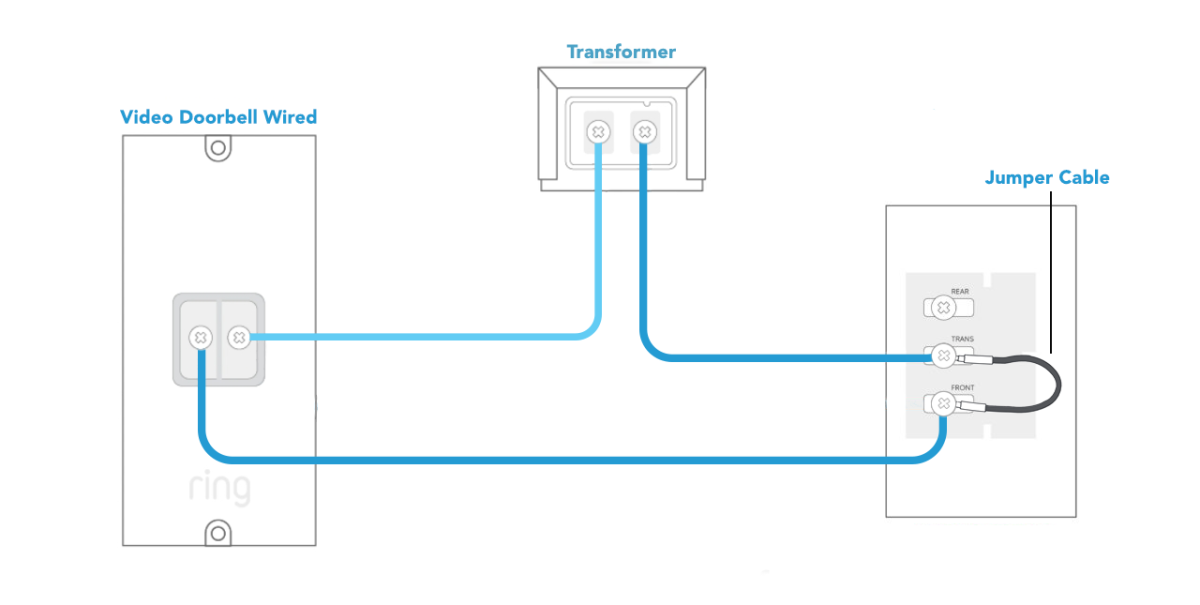
Incorrect wiring during installation causes nearly 40% of Wyze doorbell not ringing issues. The good news is these fixes require only basic tools and take under 15 minutes.
Verify Jumper Wire Placement
Inside your chime box:
– Install jumper between Front and Trans terminals for front door installations
– Use Rear and Trans only for back door setups
– Secure all connections with wire nuts (not electrical tape alone)
– Check continuity with multimeter to confirm proper circuit
Loose jumper connections create intermittent chime operation that seems random but actually follows a pattern based on temperature changes affecting wire expansion.
Check Wire Gauge for Long Runs
Standard 18-gauge doorbell wire works for runs under 50 feet. Longer distances require 16-gauge to prevent voltage drop. Measure resistance across your wire run—should be under 5 ohms for 50-foot runs. If resistance is higher, replace the wire or install a secondary transformer near the chime.
Solve Specific Chime Compatibility Issues

When certain chime models refuse to cooperate with Wyze, targeted solutions restore functionality without replacing your entire system.
Mechanical Chime Fixes
- Install Wyze Chime Controller (included with Pro models) between transformer and chime
- Adjust striker sensitivity using small screws inside chime unit
- Replace incompatible units with NuTone C905 or Heath Zenith SL-2796-02
Digital Chime Solutions
- Switch app setting to Digital mode
- Install 10-ohm, 10-watt resistor parallel to chime to provide proper electrical load
- Consider replacing with mechanical chime or Wyze wireless accessory if resistor solution fails
Advanced Diagnostic Techniques for Stubborn Cases
When basic fixes don’t resolve your Wyze doorbell not ringing issue, these advanced methods pinpoint hidden problems.
Perform Relay Bypass Test
- Disconnect doorbell wires from Wyze unit
- Temporarily wire doorbell directly, bypassing Wyze
- Press button—if chime sounds, Wyze’s internal relay failed
- Contact Wyze support for warranty replacement
This test confirms whether the problem lies with your Wyze unit or elsewhere in the system. If the chime works during bypass but not with Wyze connected, you’ve identified a hardware failure in the doorbell unit itself.
Measure Power Consumption Under Load
Use a clamp meter to check:
– Standby draw: Should be 100-200mA (normal)
– Button press surge: Should be 300-500mA for 0.5-1 second
Compare against transformer capacity (VA rating = Voltage × Current)
If your transformer operates near its maximum capacity, it can’t provide the surge current needed for chime activation, causing your Wyze doorbell not ringing problem despite adequate standby voltage.
Set Up Wireless Chime Alternative
When wired chime proves incompatible, Wyze’s wireless solution provides reliable backup in minutes.
Wyze Chime Setup Steps
- Plug into wall outlet within Wi-Fi range (maximum 30 feet from router)
- Connect through Wyze app in under 2 minutes
- Choose from 12 chime tones with adjustable volume
- Supports multiple doorbells if you have side/rear entrances
The wireless chime eliminates all wiring compatibility issues and works even with problematic digital chimes. Many users keep their wired chime as backup while using the wireless unit as primary.
Prevent Future Wyze Doorbell Not Ringing Issues
Proactive maintenance keeps your doorbell ringing reliably through seasonal changes and system updates.
Monthly Testing Protocol
- Press doorbell button monthly
- Verify both app notification and chime sound
- Note any delays or volume changes
- Address minor issues immediately before they become major problems
Set a calendar reminder for the first of each month—this simple habit catches developing issues before they leave you without chime functionality.
Professional Installation Considerations
For complex multi-door systems or if you’re uncomfortable with electrical work, professional installation typically costs $150-300 but ensures proper transformer sizing, correct wiring, and code compliance. Licensed electricians often spot compatibility issues during initial assessment that could save you hours of future troubleshooting when your Wyze doorbell not ringing problem inevitably returns.
Quick Troubleshooting Flowchart
When your Wyze doorbell not ringing issue strikes, follow this sequence:
- Check transformer voltage (16-24V required at chime box)
- Verify app settings (correct chime type selected, silent mode off)
- Inspect jumper wire (Front-Trans connection secure)
- Update firmware (critical for mechanical chime operation)
- Test with relay bypass (determine if Wyze unit has failed)
This systematic approach resolves most silent chime problems in under 30 minutes without specialized tools. Keep your multimeter and wire nuts handy for quick diagnostics when your Wyze doorbell not ringing issue appears—being prepared means you’ll never miss another visitor at your door again. Remember that consistent monthly testing prevents 80% of recurring chime issues, saving you from the frustration of discovering your doorbell isn’t working when you need it most.



