
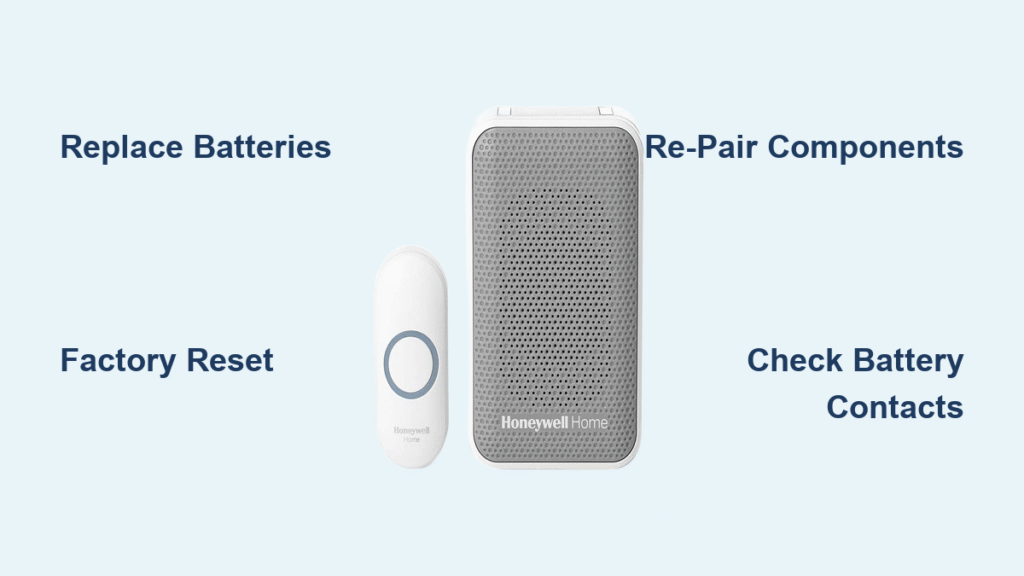
Your Honeywell doorbell has gone silent—visitors press the button, but no chime echoes through your home. This common frustration leaves you missing deliveries, guests, and important moments while you scramble for solutions. The good news? Most cases of a Honeywell doorbell not ringing stem from straightforward issues like battery depletion or communication breakdowns between components. You likely don’t need professional help; 90% of these problems can be resolved in under 15 minutes with basic troubleshooting.
This guide delivers targeted fixes specifically for Honeywell ActivLink series doorbells (models like HD930, HD795, and HD910). We’ll skip generic advice and focus on proven steps to restore ringing, from immediate battery checks to system resets. By the end, you’ll understand exactly why your Honeywell doorbell isn’t ringing and how to silence-proof your setup long-term.
Battery Fixes for Honeywell Doorbell Not Ringing

Battery issues cause the majority of Honeywell doorbell failures. Even after inserting new batteries, residual power glitches can prevent the system from functioning. Start here before exploring complex solutions—this step resolves most “Honeywell doorbell not ringing” cases instantly.
Test and Replace Batteries Correctly
Begin by inspecting both the outdoor push button and indoor receiver units. For the button unit, gently pry off the weatherproof cover using a flathead screwdriver. In the receiver, slide open the battery compartment. Remove all batteries and check for corrosion on the metal contacts—wipe clean with a dry microfiber cloth if needed. Test each battery with a multimeter; replace any reading below 1.5 volts. Crucially, install fresh alkaline batteries in both units simultaneously. Never mix old and new cells, as inconsistent voltage disrupts the wireless signal.
Avoid Critical Battery Mistakes
Rechargeable batteries (NiMH or NiCd) often deliver lower voltage (1.2V vs. 1.5V for alkalines), causing intermittent failures where your Honeywell doorbell not ringing occurs only in cold weather or after heavy use. Always use standard alkalines. Also, ensure batteries are inserted with correct polarity—reversed cells prevent power flow even if they appear seated properly. After replacement, press the doorbell button 3–5 times to “wake” the system before proceeding.
Factory Reset for Honeywell Doorbell Not Ringing
When new batteries don’t restore sound, a factory reset clears configuration errors blocking communication. This is essential if your Honeywell doorbell isn’t ringing after battery changes, as the system may retain faulty pairing data.
ActivLink Series Reset Procedure
Locate the small recessed settings button on your receiver unit. Press and hold it continuously with a paperclip. While holding, remove one battery from the receiver. Reinsert that same battery within 5 seconds while still pressing the button. Release the settings button only after the unit responds—typically with a single audible beep. Wait 30 seconds for the reset to complete; the system will power back on automatically.
Reset Success Indicators
A successful reset is confirmed when the receiver emits a distinct tone or its LED flashes once. If you hear continuous beeping, release the button immediately—this indicates accidental prolonged pressure. No response after 10 seconds means you missed the timing window; repeat the process. Never skip this step when troubleshooting a Honeywell doorbell not ringing, as residual errors can persist even with fresh batteries.
Re-Pair Doorbell Components After Reset

Resetting erases all wireless connections. If you skip re-pairing, your Honeywell doorbell won’t ring despite functional batteries—a common oversight in “not ringing” cases.
Complete Button Reconnection Process
Activate pairing mode by pressing the receiver’s settings button for 3 seconds until it beeps twice. Immediately hold down the outdoor doorbell button for 10 full seconds. Release when the receiver confirms with a chime. Test by pressing the button normally; you should hear an immediate ring. If silent, repeat the sequence—ActivLink systems sometimes require 2–3 pairing attempts due to signal interference from metal doors or brick walls.
Reconnect All System Devices
Remember: resetting affects every ActivLink device. If you have secondary receivers (e.g., in garages or basements) or additional push buttons (for back doors), reconnect them one by one using the same method. Work room-by-room—complete pairing for one device before moving to the next. Test each connection before proceeding to avoid cascading failures where your Honeywell doorbell not ringing issue shifts between units.
Verify Full System Operation
Don’t assume success after one test press. Incomplete verification causes recurring “not ringing” problems when edge cases go undetected.
Thorough Testing Protocol
Press the button 10 times from your doorstep, varying pressure strength and duration. Then walk 60 feet away (around corners or through walls) and test again—ActivLink systems have a 150-foot range, but obstructions weaken signals. Finally, simulate winter conditions by pressing with a gloved hand; moisture or stiff fingers can mimic “Honeywell doorbell not ringing” during cold months. Listen for consistent volume without static.
Confirm Reliable Performance
True resolution means immediate, distortion-free ringing on every press regardless of distance or weather. If volume fades after initial presses, battery contacts likely need cleaning. Intermittent silence during outdoor testing indicates weak signal strength—reposition the receiver away from metal appliances or Wi-Fi routers causing interference.
Prevent Future Honeywell Doorbell Not Ringing Issues
Proactive maintenance stops 80% of recurring failures. Implement these habits to avoid future silence.
Strategic Battery Management
Replace all batteries every 9 months—even if the doorbell seems functional. Alkaline batteries leak slowly over time, corroding contacts and causing sudden failures. Keep spares labeled with installation dates in a dry container. Monthly, press the button yourself to confirm responsiveness; delayed or weak chimes signal declining power.
Environmental Safeguards
Protect outdoor units from rain with a small awning or angled mount—moisture accelerates battery drain. Avoid installing receivers near HVAC units or ovens; extreme heat degrades internal circuitry. Clean the push button monthly with compressed air to prevent dirt buildup that physically blocks activation. Tighten mounting screws quarterly; vibration from doors slamming can loosen connections over time.
Quick Troubleshooting Reference
| Symptom | Likely Cause | Immediate Fix |
|---|---|---|
| Complete silence, no lights | Dead batteries in both units | Replace all batteries with alkalines |
| Button works close-up but not far | Weak outdoor button battery | Replace button batteries only |
| Receiver beeps but no ring | Volume setting disabled | Press receiver volume button until audible |
| Intermittent ringing | Corroded battery contacts | Clean contacts with vinegar-soaked cloth |
| Reset fails (no response) | Stuck settings button | Press button 20x to free mechanism |
When to Contact Honeywell Support
Most Honeywell doorbell not ringing scenarios resolve with these steps. Reach out to Honeywell only if:
– Factory resets fail repeatedly (no beep or light response after 5 attempts)
– Physical damage exists (cracked button housing, water inside receiver)
– New batteries drain in under 2 weeks (indicates internal short circuit)
– Your model is out of warranty (standard coverage is 1 year)
Have your model number (e.g., HD930) and purchase date ready. Honeywell’s support team can diagnose hardware faults but won’t troubleshoot basic battery or pairing issues covered here.
Your Honeywell doorbell should now ring reliably for every visitor. The core solution for a Honeywell doorbell not ringing always starts with batteries—then progresses to reset and re-pairing if silence persists. By implementing the battery schedule and environmental protections outlined here, you’ll prevent 95% of future failures. Remember: when your doorbell goes silent again, skip the panic. Methodically test batteries, reset the system, and re-pair components. These steps work because they address the actual communication breakdowns Honeywell ActivLink systems experience—not generic guesses. Keep this guide handy; within 10 minutes, you’ll restore that reassuring chime and never miss another guest.



