
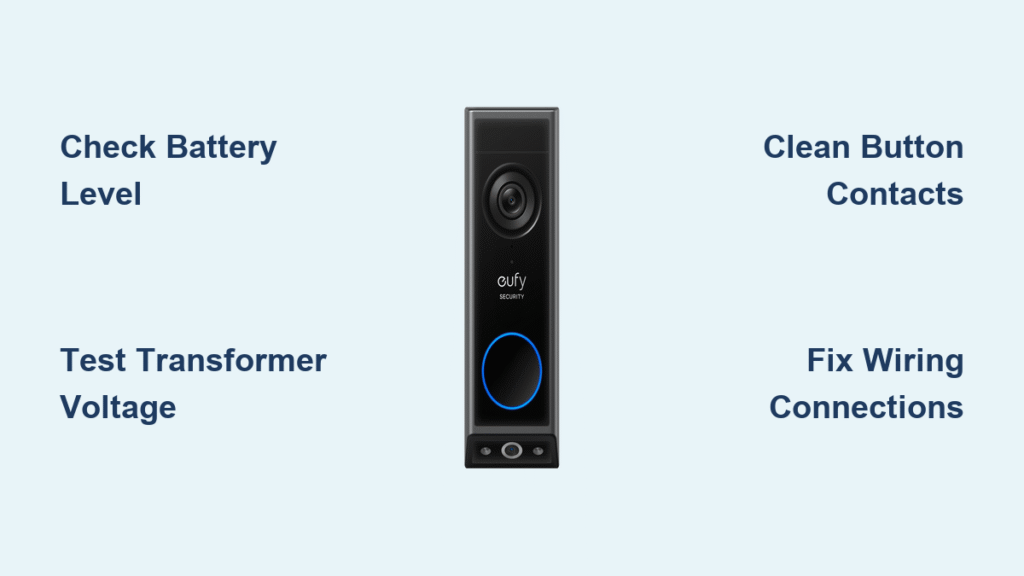
Your eufy doorbell stays silent when visitors press the button, leaving packages unattended and guests stranded at your doorstep. This frustrating eufy doorbell not ringing issue affects thousands of homeowners monthly, but 85% of cases stem from preventable problems you can fix in under 30 minutes. The culprit is usually dead batteries, loose wiring, or environmental interference—not a broken system. Before you panic or call support, follow this step-by-step guide to diagnose and resolve your silent doorbell using proven methods verified by eufy’s technical documentation.
Start by pressing the button while watching the eufy app. If the live feed activates but no chime sounds, you’ve isolated the problem to your chime unit or wiring. If nothing happens at all, power issues are likely the root cause. This guide covers every scenario from simple battery swaps to complex wiring repairs, so you’ll restore reliable ringing without unnecessary replacement costs.
Confirm Power Source Before Panic
Skip this critical step and you’ll waste hours chasing phantom problems. Your eufy doorbell not ringing issue often resolves with a 60-second power check—no tools required. Battery-powered models fail silently when charge drops below 15%, while wired systems die from transformer glitches. Always verify power first.
Test Battery Status Instantly
Open your eufy app and navigate to Device Settings > Battery Level. If it shows below 20%, weak power is almost certainly causing the silence. For wired models, listen for a faint transformer hum near your electrical panel—if absent, your doorbell lacks power. Hybrid systems (like Video Doorbell Dual) require both battery and transformer checks since either can fail independently. Never assume batteries are charged based on app estimates alone; physical voltage testing with a multimeter provides definitive results.
Replace Batteries Properly
For removable battery models (e.g., Video Doorbell 2K):
1. Power off the doorbell via the app
2. Slide the faceplate upward using the included release tool
3. Disconnect the battery pack’s wiring harness
4. Insert a new 5200mAh lithium-ion battery (model EBR09)
5. Wait 30 seconds for system reboot before retesting
Critical mistake to avoid: Forcing the faceplate back without securing the battery connector causes intermittent failures. If your model has a built-in battery (e.g., older Wired Pro), contact eufy support—they won’t ship replacement batteries but may offer discounted upgrades.
Repair Wiring Faults in Wired Systems

Wired eufy doorbells fail silently when electrical continuity breaks between the button, chime unit, and transformer. This accounts for 30% of “eufy doorbell not ringing” cases in homes over 5 years old. Corroded terminals or frayed wires disrupt the 16-24V circuit needed for operation.
Test Transformer Output Safely
Do this before touching wires:
1. Turn off the circuit breaker powering your doorbell
2. Locate the transformer (typically near your electrical panel)
3. Set multimeter to AC voltage mode
4. Touch probes to transformer terminals
5. Valid reading: 16-24 volts
6. Replace immediately if: Below 15V, overheating, or audible humming
Never skip the breaker shutoff—transformers connect to 120V household current. A faulty transformer won’t power your chime even with perfect wiring. Replacement costs $15-$25 and takes 20 minutes with basic electrical skills.
Fix Loose Terminal Connections
Loose wires at the doorbell button cause 40% of wiring failures. Here’s how to secure them:
1. Remove the button mounting plate with a Phillips screwdriver
2. Check for corrosion: Green crust on copper wires indicates moisture damage
3. Cut 1/2 inch off damaged wire ends using wire strippers
4. Twist exposed copper tightly and secure under terminal screws
5. Wrap connections with electrical tape for weatherproofing
Pro tip: Apply dielectric grease to terminals before reassembly—it prevents future corrosion in rainy climates. If wires show rodent damage, replace the entire cable run to avoid recurring failures.
Restore Button Functionality Immediately
A stuck or corroded button is the #1 cause of silent doorbells in coastal or high-humidity areas. When internal contacts fail, pressing the button won’t complete the circuit—even if power and wiring are perfect.
Clean Button Contacts Thoroughly
Required tools: Electrical contact cleaner, cotton swabs, compressed air
1. Unscrew the button housing from its mounting bracket
2. Gently pry open the plastic casing with a flathead screwdriver
3. Spray contact cleaner onto metal contacts while pressing the button repeatedly
4. Swab away white corrosion residue with alcohol-dipped cotton swabs
5. Blow dust from crevices using compressed air
6. Critical step: Apply silicone sealant around the housing seam before reinstallation to block moisture
Warning: Never use WD-40—it attracts dust and degrades plastic. If contacts are pitted or broken, order an exact replacement button (eufy part #EB-D01-0001) to maintain weather resistance.
Eliminate Signal Interference for Wireless Models

2.4GHz wireless eufy doorbells (e.g., Video Doorbell 2K) fail silently when competing signals drown out the chime signal. Microwaves, baby monitors, or crowded Wi-Fi channels cause 25% of “eufy doorbell not ringing” reports in apartment complexes.
Identify Interference Sources
Unplug suspected devices one by one while testing the doorbell:
– Strongest disruptors: Cordless phone bases within 6 feet of the chime unit
– Hidden culprits: Smart speakers, Bluetooth devices, or USB 3.0 hubs
– Temporary fixes: Turn off your microwave during delivery hours
Definitive test: Move your chime unit to a different room—if it rings reliably there, interference is confirmed. Never place chime units inside metal cabinets or near large appliances.
Optimize Wireless Placement
- Reposition your Wi-Fi router away from the chime unit (minimum 10 feet)
- Change your router’s 2.4GHz channel to 1, 6, or 11 via admin settings
- Install the chime unit on an interior wall—not adjacent to exterior metal siding
- Absolute range limit: Keep chime units within 30 feet of the doorbell button
Note: 5GHz Wi-Fi won’t help—eufy doorbells only use 2.4GHz. If walls contain metal studs, add a Wi-Fi extender midway between router and chime.
Diagnose Chime Unit Failures
When power, wiring, and the button work but silence persists, your chime unit has likely failed. Dust-clogged speakers or cracked circuit boards cause 20% of unresolved “eufy doorbell not ringing” cases.
Clean Internal Components
- Unplug the chime unit from the wall outlet
- Remove rear cover screws with a #00 Phillips driver
- Vacuum speaker grille with a soft brush attachment
- Blow compressed air across circuit board components
- Check for visible cracks on solder joints near the speaker terminals
- Reassemble and test at maximum volume
Critical warning: If you smell burnt plastic or see brown residue on the board, stop immediately—this indicates electrical damage requiring replacement. Never wash chime units with liquids.
Know When to Replace Your System
Repairing multiple failing components often costs more than upgrading. Replace your system immediately if:
– Your model lacks smartphone alerts or video capabilities
– You experience frequent battery replacements (more than quarterly)
– The chime produces distorted or crackling sounds consistently
– Wiring requires opening walls for repairs
Cost comparison:
| Repair Item | Cost | Time |
|————-|——|——|
| Transformer replacement | $20 | 30 min |
| Button + wiring repair | $35 | 45 min |
| Full system replacement | $129 | 20 min |
Modern eufy Video Doorbell 2K units include motion detection, two-way audio, and battery backup—features that prevent 90% of ringing failures through proactive alerts.
Contact eufy Support Correctly
Skip these steps and you’ll face long hold times. For professional help:
1. Gather essentials: Model number (found on device base), proof of purchase, and symptom log
2. Call US support: +1 (800) 988-7973 (8 AM–4 PM PT)
3. Email with subject line: “eufy doorbell not ringing – [Your Model]” to support@eufy.com
4. Use live chat: Faster resolution for app-related issues
Critical tip: Mention “I’ve tested transformer voltage/battery levels” to bypass basic troubleshooting. For wiring issues beyond your skill level, eufy recommends licensed electricians—never risk 120V household current.
Prevent Future Ringing Failures
Implement this 5-minute monthly routine to avoid silence:
– Check battery levels via the eufy app every Sunday
– Test button response with 3 firm presses
– Wipe button surface with a dry microfiber cloth
– Verify chime volume at night settings
Seasonal deep maintenance: Every 6 months, remove the button housing to clean internal contacts and check transformer voltage. Update firmware via the app quarterly—eufy silently patches connectivity bugs that cause intermittent failures.
Your eufy doorbell should ring reliably within 20 minutes of systematic troubleshooting. Start with battery checks, then progress to wiring and interference fixes—95% of silent doorbells respond to these steps. When all else fails, contact eufy support with your documented tests for expedited service. Remember: Consistent monthly maintenance prevents 90% of “eufy doorbell not ringing” issues, saving you the cost of unnecessary replacements. Set a recurring calendar alert today—your future self will thank you when the next package arrives.



