Package thieves targeting unattended deliveries? A doorbell that rings but never reaches you? Installing a eufy battery doorbell eliminates these frustrations with a wire-free solution that takes less than 30 minutes to set up. This smart security upgrade works for both renters and homeowners without requiring electrical expertise or permanent modifications to your property.
Unlike traditional wired systems that limit placement options, the eufy battery doorbell gives you complete flexibility to mount it anywhere within your Wi-Fi range. You’ll get crystal-clear 2K video, color night vision, and AI-powered package detection—all without monthly subscription fees. This guide provides the exact steps to successfully install your eufy battery doorbell and start monitoring your doorstep immediately.
Essential Tools for Installation
What You Need From the Box:
– eufy doorbell unit with pre-charged battery
– Mounting bracket with built-in level
– Security screws and wall anchors
– Phillips head screwdriver
Additional Supplies:
– Pencil for marking holes
– Tape measure
– Drill with 1/8″ bit for wood or 1/4″ masonry bit for brick
– Smartphone with eufy Security app
Pro tip: Fully charge your battery before starting—this takes 4-6 hours but ensures uninterrupted operation during setup. Check the LED indicator; it should show solid green when fully charged.
Optimal Wi-Fi Requirements
Stand where you’ll mount the doorbell and run a speed test on your phone. You need at least 2 Mbps upload speed for smooth 2K video streaming. The eufy battery doorbell only works on 2.4GHz networks, so disable 5GHz temporarily during setup. If your signal strength shows fewer than 2 bars, consider installing a Wi-Fi extender before proceeding—this prevents connection issues later.
Positioning Checklist
Mount your doorbell 48-52 inches from the ground—roughly chest height for most visitors. This captures faces clearly and detects packages on the ground. Ensure it has a clear view of your doorstep and walkway, stays within 10 feet of your front door, avoids direct sunlight that causes glare, and sits under an eave for weather protection when possible.
Drill and Install Anchors

For Wood Siding:
– Drill 1/8″ pilot holes at marked spots
– Skip anchors—screw directly into wood
– Check for studs to ensure maximum stability
For Brick or Concrete:
– Drill 1/4″ holes using masonry bit
– Tap plastic anchors flush with wall using hammer
– Clean dust from holes for secure fit with provided anchors
Pro tip: Start with a smaller drill bit than needed. You can always enlarge holes, but you can’t shrink them if you make them too large on the first attempt.
Secure Mounting Bracket
Align bracket holes with your drilled positions. Insert screws through bracket and tighten until snug—don’t overtighten or you’ll strip the anchors. Grab the bracket and test for wobbling; if loose, remove screws and use longer anchors or toggle bolts. Run a thin bead of silicone caulk around bracket edges if mounting on wood siding to prevent water damage over time.
Install Battery and Doorbell
Battery Installation Steps
1. Locate battery compartment on doorbell back
2. Slide battery in until you hear a click
3. LED should flash blue briefly confirming connection
Mount Doorbell Properly
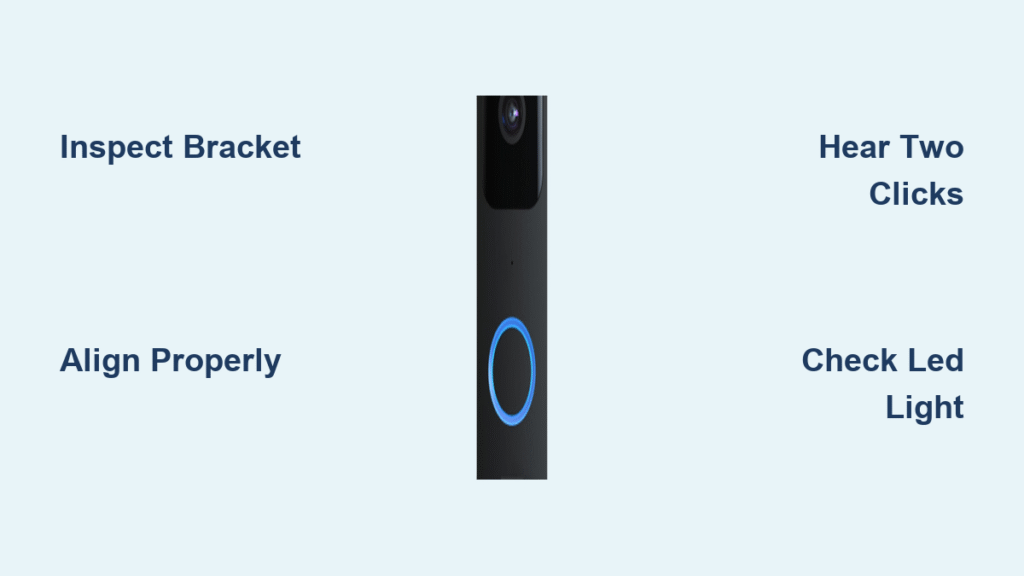
Position doorbell at 15° angle to bracket. Slide downward until you hear a second click—this locks it in place. Never force or twist during installation. Insert the provided security screw at the bottom of doorbell and tighten gently until snug. This prevents theft while allowing you to remove it for charging.
Connect eufy Security App
Install the eufy Security app from App Store or Google Play. Create your account or sign in if existing. Tap “Add Device” → “Doorbell” → “Battery Doorbell”, then scan the QR code on the doorbell back or packaging. Select your 2.4GHz Wi-Fi network and enter your password carefully. The blue LED turns solid once connected. Press the doorbell button—you should receive an instant notification. Open live view to test video and audio quality.
Configure Motion Detection

Set Detection Zones
Draw boxes in the app to monitor your doorstep while excluding busy sidewalks. This reduces false alerts from passing pedestrians. Start with medium sensitivity—increase if you miss deliveries, decrease if trees trigger constant alerts.
Package Detection Setup
Enable AI package guard in settings. Draw a special zone around your doormat where packages typically land. Add familiar faces to reduce false alerts and configure different alert types for known versus unknown visitors.
Test All Functions
Complete a daily use checklist: press the doorbell button to verify chime sounds on your phone, walk through detection zones to check motion alerts, test two-way audio using the app, and review recorded videos for quality. If you encounter blurry night vision, clean the camera lens with a microfiber cloth. For delayed notifications, check your phone’s battery optimization settings. Weak audio often means the microphone is blocked by decorative objects near the doorbell.
Battery Maintenance Schedule

Check battery percentage weekly in the eufy app. Most users charge every 3-6 months depending on activity levels. Extend battery life by enabling power-saving mode, reducing motion sensitivity during busy hours, limiting live view sessions to 30 seconds, and setting shorter recording durations. When battery hits 20%, pop out the quick-release battery. Full charge takes 4-6 hours. Consider buying a spare battery for uninterrupted protection during charging cycles.
Troubleshoot Installation Problems
Wi-Fi Connection Fails
– Reset doorbell: Hold sync button for 10 seconds
– Move router closer or add extender
– Check for special characters in Wi-Fi password
Video Quality Issues
– Restart router and doorbell
– Switch to lower resolution temporarily
– Update eufy Security app
Mounting Problems
– Bracket wobbles: Use longer screws or toggle bolts
– Wrong angle: Purchase wedge mount for $15
– Too close to door: Use corner mount for better view
Final Security Check
Complete your setup by adding family members to the eufy app, enabling visitor recognition to reduce alerts, setting up Amazon Alexa or Google Assistant integration, and testing emergency contact features. Perform monthly maintenance by cleaning the camera lens, checking mounting screws quarterly, updating firmware when prompted, and reviewing motion zones seasonally.
Your eufy battery doorbell is now fully operational. The dual camera system provides both front-facing and downward views for comprehensive package monitoring, while the color night vision ensures clear footage even in low light. The quick-release battery design makes charging effortless—simply pop it out when needed without removing the entire unit. Remember to check your battery level weekly through the app and schedule charging before it drops below 20% to maintain continuous protection. With proper installation and maintenance, your eufy battery doorbell will deliver reliable security for years without subscription fees, giving you peace of mind whether you’re home or away.