Your Ring Doorbell stares blankly from the wall as you fumble with a screwdriver. The battery died mid-delivery, you’re moving houses tomorrow, or you finally upgraded to the latest model. Whatever the reason, how to take off ring doorbell safely keeps you up at night. One wrong tug could crack the housing, leave ugly screw holes, or even cause sparks with wired models. The truth? Every Ring variant—from the humble Battery 2nd Gen to the powerhouse Elite—has a precise removal sequence that takes under ten minutes when you know the trick. Stop risking damage; this guide reveals the exact steps for your specific model.
Forget generic tutorials that treat all doorbells the same. Whether yours is held by a star-shaped security screw, adhesive tape, or low-voltage wires, you’ll learn to remove it cleanly while preserving your wall’s integrity. We’ll cover tool substitutes when you’ve lost that tiny orange screwdriver, wire-handling safety for wired models, and even how to delete the device from your app to stop ghost notifications. Let’s get your Ring down without regrets.
Grab These 3 Tools for Ring Doorbell Removal (Even Without the Orange Screwdriver)

Don’t panic if Ring’s proprietary tools vanished years ago—household items work perfectly. Every removal starts with the right tools to avoid stripping screws or cracking plastic. For battery models (2nd Gen, 3, 3 Plus, 4), you need a way to tackle the star-shaped security screw at the base. A T6 Torx bit fits snugly in most hardware kits, but a small flathead screwdriver pressed firmly into the screw head works in a pinch. Wired models (Pro, Pro 2, Elite) require a Phillips #2 screwdriver to free mounting screws—your drill’s Phillips bit saves effort on stubborn fasteners.
Newer push-pin release models (like Doorbell 4) demand a thin metal probe. Straighten a paperclip or use a thin nail to trigger the internal latch through the pinhole. Keep silicone sealant and spackling paste nearby for post-removal hole sealing—these prevent moisture and insects from invading your wall cavity. If your unit is tape-mounted, a dull putty knife is non-negotiable; never use a sharp tool that could gouge siding or paint.
Cut Power to Your Ring Doorbell: Breaker, Battery, or Adapter?
Skipping this step risks electrical shock or device damage—no exceptions. For battery-powered models, press the release tab on the side of the battery pack and slide it out completely. Wired units require flipping the doorbell circuit breaker in your electrical panel—look for labels like “front entry” or “chime.” If you’re unsure, test by ringing the doorbell; if it doesn’t chime, the circuit is dead. Plug-in adapters (common with Ring Pro) simply unplug from the outlet.
Position your ladder or step stool so the doorbell sits at chest height. You’ll need both hands free to manipulate screws and brackets, and working above shoulder level guarantees dropped tools or strained movements. Pro tip: Place a soft towel on the ground below to catch falling screws or the battery pack—those tiny parts vanish fast.
Remove Ring Battery Doorbell Faceplate Without Stripping Screws
Locate the Star Security Screw at the Bottom
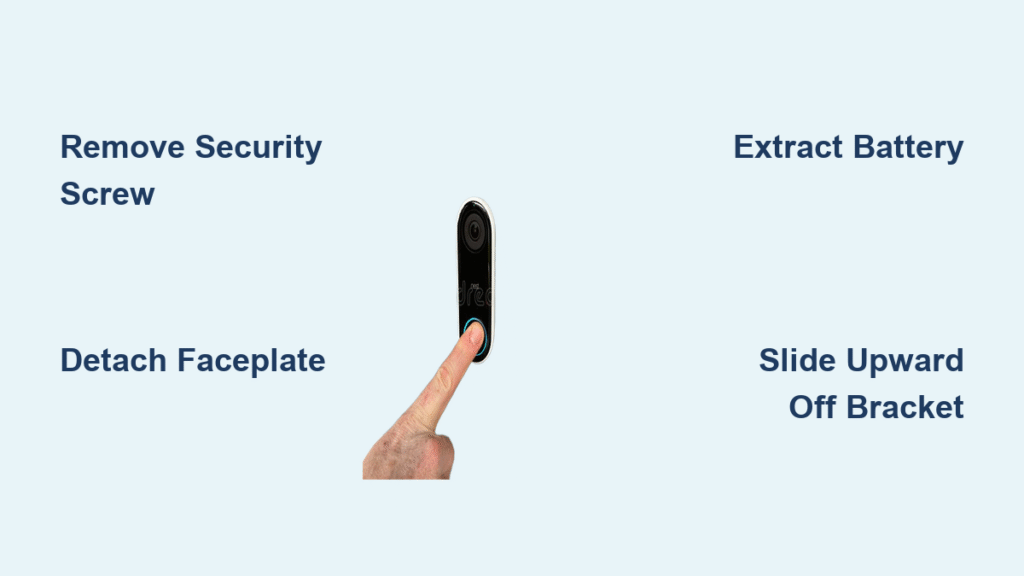
The star-shaped security screw hides at the very base of your Ring (2nd Gen through Doorbell 4). On older models, it’s visible; newer versions tuck it under a small plastic cover you pop off with a fingernail. Never force a screwdriver—if the bit slips, you’ll strip the head and complicate removal. Insert your T6 Torx bit fully before turning.
Turn Counter-Clockwise Until It Lifts Out
Rotate the screw slowly left until it rises completely from the housing—don’t remove it fully yet. This disengages the faceplate latch while keeping the screw handy. If your model uses a push-pin mechanism (check for a tiny pinhole near the base), insert a straightened paperclip and push firmly until you hear a click. The faceplate will loosen immediately.
Pull Downward at 45° to Unclip the Faceplate
Hook your thumbnail under the bottom edge and pull straight down at a 45-degree angle. Yanking sideways cracks the plastic clips. The faceplate should detach in one smooth motion. If it resists, recheck that the security screw is fully loosened or the pinhole is fully depressed—never use pliers.
Extract Ring Battery Pack Safely in 20 Seconds
Find the Silver Release Lever Inside
With the faceplate off, you’ll see a small silver tab or lever near the battery compartment. On Doorbell 3/4 models, it’s a sliding switch; older versions use a push-button. This lever is fragile—bending it breaks the battery retention system.
Press and Slide Out the Battery
Press the lever firmly while simultaneously sliding the battery pack straight out toward you. Always catch it—lithium batteries can short if they fall onto metal surfaces. If the battery sticks, wiggle it gently side-to-side while maintaining lever pressure. Never pry with metal tools; a plastic spudger (or old credit card) works better.
Slide Ring Doorbell Off Mounting Bracket: The Upward Motion Trick
Remove the Four Phillips Screws
After faceplate removal, four Phillips screws become visible—two on each side of the unit. Unscrew these completely using your Phillips driver. Keep screws organized; they’re tiny and often fall into the housing. If your model lacks visible screws (like Elite), skip to the next step.
Slide Upward to Disengage Hook Slots
Unlike most electronics, Ring doorbells slide upward 1 inch to release from the mounting bracket. Place one hand behind the unit and push firmly up while lifting slightly. You’ll feel it unhook from the bracket’s slots. For tape-mounted units, slide a putty knife behind the top edge and gently rock side-to-side—never pull straight out.
Disconnect Wires on Ring Wired Doorbell Without Shorting
Pull the Doorbell Straight Out to Expose Wires
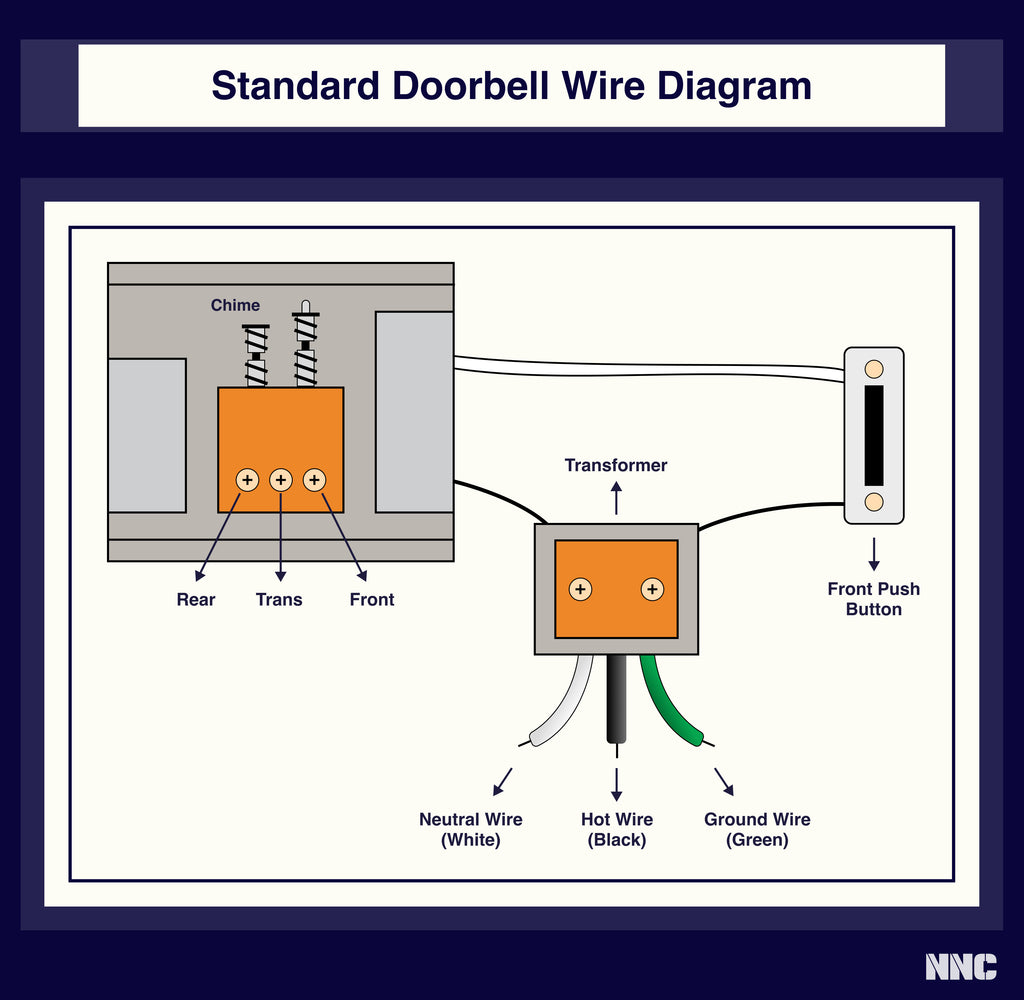
After removing mounting screws, pull the unit straight away from the wall to reveal the low-voltage wiring terminals. Wires stay live until disconnected—keep fingers clear of metal contacts. Wired models (Pro, Pro 2) have terminals on the back; Elite units expose them on the front bracket.
Loosen Terminal Screws and Remove Wires
Use your Phillips screwdriver to turn each terminal screw counter-clockwise 1-2 full rotations—just enough to release the wire. Pull wires straight out; twisting can fray strands. If reusing the circuit, cap exposed ends with wire nuts or electrical tape to prevent shorts. Never cut wires unless replacing the entire system.
Ring Elite Removal: Skip Faceplate, Go Straight to Screws
Remove Four Corner Phillips Screws
The Elite model has no faceplate—it mounts directly to the bracket. Locate the four Phillips screws at each corner of the unit. Unscrew these completely while supporting the doorbell’s weight. Elite units are heavy; dropping them cracks the glass lens.
Lift Off the Doorbell and Bracket
Once screws are out, the entire assembly (doorbell + bracket) lifts off as one piece. If the bracket stays on the wall, remove its four corner screws separately. Fill screw holes immediately with silicone—Elite installations often penetrate deeper into siding.
Missing Ring Tools? Fix It With a Paperclip or Flathead
Substitute a T6 Torx Bit for the Security Screw
If the star screw won’t budge, a T6 Torx bit is the ideal substitute—available at auto parts stores for $2. No Torx? Press a small flathead screwdriver diagonally across two points of the star head and turn gently. Stop if you feel resistance; stripped screws require drill extraction.
Use a Paperclip for Push-Pin Release Models
Straighten a paperclip and insert it 1/4 inch into the pinhole until you feel resistance. Push firmly while pulling the faceplate downward—you’ll hear a distinct click as the latch releases. Never use needles; they bend inside the hole, jamming the mechanism.
Tape-Mounted Ring Doorbell Removal: Pry Without Wall Damage
Slide a Dull Putty Knife Behind the Unit
Adhesive mounts (common on stucco or brick) require finesse. Slide a dull putty knife behind the top edge of the doorbell at a 15-degree angle. Sharp tools slice through paint—use only plastic or cardboard-edged scrapers.
Gently Rock Until Adhesive Releases
Apply steady pressure while rocking the knife side-to-side to break the bond. Work top-to-bottom; starting at the base risks cracking the housing. If adhesive remains, apply heat from a hairdryer for 30 seconds to soften the glue. Never yank—the unit will tear chunks from your wall.
Seal Screw Holes After Ring Doorbell Removal in 3 Steps
Dab Silicone into Holes
Squeeze clear silicone sealant into each screw hole using the applicator nozzle. Overfill slightly—the sealant shrinks as it cures. This blocks moisture and insects better than spackle alone. Wipe excess immediately with a paper towel; silicone hardens fast.
Patch Larger Gaps with Spackle
For holes wider than 1/8 inch, mix spackling paste to a toothpaste consistency. Press it deep into the cavity with a putty knife, then scrape flat against the wall. Let dry 24 hours before sanding lightly with 220-grit paper.
Touch-Up Paint for Seamless Repair
Match your wall color using leftover paint or a sample pot from the hardware store. Apply with an angled brush, feathering edges outward. Two thin coats beat one thick coat—thick paint cracks over screw holes.
Delete Ring Doorbell From App: Prevent Ghost Notifications
Navigate to Device Settings
Open the Ring app, tap Menu (≡), then Devices. Select your removed doorbell. Go to Device Settings > General Settings—the option appears as Remove This Device or Delete Device.
Confirm Removal to Unlink Cloud Storage
Tap Remove and confirm when prompted. This step is critical—without it, your app keeps pinging the missing device, draining phone battery and sending phantom alerts. Cloud recordings remain accessible until you manually delete them.
10-Minute Ring Doorbell Removal Checklist (Printable)
- [ ] Power OFF: Breaker flipped (wired), battery removed (battery models), or adapter unplugged
- [ ] Identify model: Check base for “Pro,” “Elite,” or battery icon
- [ ] Remove security screw: T6 Torx bit or paperclip for pinhole models
- [ ] Detach faceplate: Pull downward at 45°—never sideways
- [ ] Extract battery/wires: Catch battery; cap exposed wires
- [ ] Slide unit upward: 1-inch motion to disengage bracket hooks
- [ ] Seal holes: Silicone first, then spackle for larger gaps
- [ ] Delete in app: Stop ghost notifications permanently
Done correctly, your wall shows no trace of the removal, and your Ring is ready for charging, relocation, or responsible recycling. For battery models, reinstallation takes 2 minutes—just reverse the steps. Wired units? Keep capped wires labeled for easy reconnection. If you hit a snag, Ring Support ships free tools within 48 hours. Now go reclaim your wall—one precise motion at a time.