
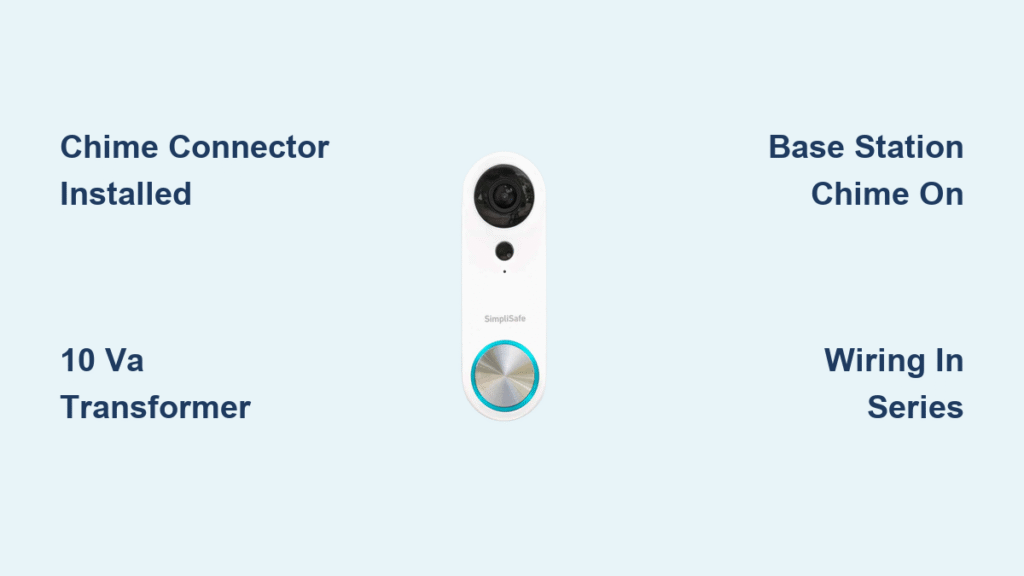
You press your SimpliSafe doorbell button and hear… nothing. No cheerful chime, no urgent “ding-dong,” just eerie silence while your phone buzzes with a camera alert. This frustrating disconnect—where your Video Doorbell Pro streams video but won’t ring—strips away half its purpose. Whether you’re missing the indoor chime entirely or your Base Station stays mute, this guide delivers exact troubleshooting steps from SimpliSafe’s official documentation. You’ll diagnose the issue in under two minutes and restore reliable ringing by focusing on two critical elements: the Chime Connector and app settings. No guesswork, no generic advice—just proven fixes for that silent doorbell.
Most “SimpliSafe doorbell not ringing” cases trace back to power delivery flaws or overlooked setup steps. The Video Doorbell Pro relies on a specific hardware duo: your home’s existing doorbell transformer and SimpliSafe’s proprietary Chime Connector. Without proper voltage regulation from this pair, your chime circuit starves, causing partial tones or total silence. Meanwhile, Base Station issues almost always hide in plain sight within your app settings. This isn’t a complex electronics puzzle—it’s about verifying three non-negotiable requirements: transformer specs, Chime Connector installation, and volume toggles. Let’s silence that silent doorbell for good.
Diagnose Your Exact Silent Symptom
Total Indoor Chime Failure: No Sound Whatsoever
When pressing the doorbell button yields zero sound from your traditional indoor chime—but your phone still gets alerts—you’re facing a complete circuit failure. The camera activates because it draws minimal power, but the chime mechanism remains dead. This symptom overwhelmingly points to a missing or incorrectly wired Chime Connector. SimpliSafe’s documentation confirms this is never a camera fault; it’s always a power delivery breakdown between the transformer and chime circuit. If your chime box shows no mechanical movement (like a striker hitting rods) or electronic sound, skip troubleshooting the camera—you need to inspect wiring immediately.
Partial Chime: Single “Ding” Without the “Dong”
Hearing only the first half of your chime sequence (“ding” but no “dong”) indicates insufficient power reaching the chime unit. The transformer delivers just enough juice to trigger the initial tone but fails to sustain the full cycle. This specific symptom is SimpliSafe’s red flag for two critical issues: either your transformer output falls below 10 VA (Volt-Amps), or the Chime Connector is installed incorrectly—likely wired in parallel instead of series. Don’t assume weak batteries or a faulty chime; 90% of partial-tone cases resolve by correcting Chime Connector placement or verifying transformer capacity.
Base Station Stays Mute Despite Camera Alerts
If your indoor chime works but the SimpliSafe Base Station remains silent when visitors press the button, relax—this rarely involves wiring. The camera activates and sends mobile notifications, proving the doorbell itself functions. Your Base Station silence is almost certainly a software oversight: the chime feature is either disabled or set to zero volume in the app. Unlike indoor chime issues, this requires zero tools or electrical work. You’ll fix it in three taps inside the SimpliSafe app, but first confirm the Base Station LED flashes blue during doorbell presses (indicating signal reception).
Verify Your Power and Hardware Requirements

Transformer Must Deliver 16–24 VAC at Minimum 10 VA
Your doorbell’s entire ecosystem hinges on transformer specs. SimpliSafe mandates a 16–24 VAC transformer supplying at least 10 VA—anything lower causes chronic “SimpliSafe doorbell not ringing” issues. Locate your transformer (typically in the basement, garage, or near the electrical panel) and check its label for voltage (VAC) and capacity (VA). If it reads below 10 VA—common in older homes—replace it immediately. A non-contact voltage tester confirms live circuits before inspection, but never assume voltage based on age; test with a multimeter if labels are missing. Skipping this check wastes time troubleshooting wiring when the root cause is inadequate power.
Chime Connector Must Be Physically Present and Installed
The Video Doorbell Pro ships with a small white Chime Connector module—this is non-negotiable for indoor ringing. If your installation kit lacked this piece (a rare but documented issue), your chime will stay silent regardless of wiring. Confirm you have the connector: it’s labeled “Chime Connector” and features two white leads plus red/white terminal screws. Without it, the doorbell draws unregulated power directly from the transformer, starving the chime circuit. If missing, contact SimpliSafe Support—they’ll ship a replacement free—but don’t proceed until you have it. This tiny component regulates voltage spikes that otherwise cripple chime performance.
Existing Hardwired Circuit Is Mandatory
Battery-powered or wireless chime systems won’t work with the Video Doorbell Pro’s power requirements. You must have a traditional hardwired doorbell circuit where two low-voltage wires run from the transformer through the chime unit to the doorbell button. The Chime Connector splices in series with this loop—it’s not optional decoration. If your home lacks this wiring (common in rentals or newer builds with wireless doorbells), the Video Doorbell Pro cannot produce indoor chimes. Verify continuity with a multimeter: disconnect wires at the chime box, set your meter to ohms, and press the doorbell button—the reading should drop near zero when the button is held.
Install or Correct Chime Connector Wiring
Power Down Before Touching Wires
Safety comes first: turn off the doorbell circuit at your breaker panel or remove the transformer’s fuse. Then, use a non-contact voltage tester on the chime box wires to confirm zero live current. Never assume flipping the breaker kills the circuit—doorbell transformers sometimes share circuits with lighting. Work only when testers show no voltage. This prevents shocks and avoids shorting components during installation. If you smell burning or see melted wires, stop and call an electrician—don’t risk fire hazards chasing a silent chime.
Match Wiring to Your Chime Type (Mechanical vs. Electronic)
Mechanical chimes (with metal rods and strikers) require specific wiring:
– Connect the transformer’s red wire to the Chime Connector’s “Trans” terminal
– Link the chime’s “Front” terminal to the Chime Connector’s “Front” terminal
– Bridge the Chime Connector’s output to the doorbell button via short jumper wires
Electronic chimes (digital sound modules) follow the same path, but polarity doesn’t matter—white leads can attach to “Front” and “Trans” in any order. Crucially, the Chime Connector must sit between the transformer and chime unit—not after the chime or parallel to it. Misplacing it here causes total silence. If your wiring diagram is unclear, request SimpliSafe’s official PDF guide from support; it includes color photos of real-world installations.
Test Immediately After Power Restoration
Restore circuit power and press the doorbell button. A correctly installed Chime Connector triggers a full “ding-dong” within two seconds. If you hear nothing:
1. Recheck all wire connections for tightness
2. Confirm the Chime Connector isn’t installed backward (red wire to “Trans,” not “Front”)
3. Verify transformer output with a multimeter (should read 16–24 VAC under load)
Partial tones mean the transformer is overloaded—add a 16VAC 10VA+ transformer if your existing one serves multiple doorbells. Never force wires into terminals; loose strands cause intermittent failures.
Activate Base Station Chimes in 30 Seconds

Enable the Hidden Volume Toggle
The Base Station’s silence is almost always a disabled setting. Open the SimpliSafe app, tap My System (gear icon), then Camera Settings. Select your Video Doorbell Pro, tap Base Station Chime, and slide the volume bar to maximum. Critical step: Hit Save before exiting—settings revert if you navigate away without saving. This toggle defaults to off during initial setup, fooling many users into thinking hardware failed. If you still hear nothing after saving, check your Base Station’s physical volume dial (located on the back) and ensure it’s not turned down.
Validate with Real-Time Feedback
After enabling the chime, press your doorbell button while watching the Base Station. Its LED should flash blue within one second, followed by an audible chime. No blue flash? The Base Station isn’t receiving the doorbell signal—reboot it by unplugging for 10 seconds. Still silent? Increase system volume separately via Settings > Base Station Volume. If the camera alert appears on your phone but the Base Station stays dark and mute, contact SimpliSafe—they’ll run remote diagnostics to rule out hardware faults.
Critical Mistakes That Cause Permanent Silence
- Skipping the Chime Connector: Installing the Video Doorbell Pro without this module guarantees indoor chime failure—it’s not optional.
- Ignoring VA ratings: Transformers below 10 VA cause “ding” without “dong” symptoms; never assume voltage alone is sufficient.
- Parallel wiring errors: Connecting the Chime Connector across terminals (parallel) instead of in the circuit path (series) blocks current flow.
- Unsaved app changes: Exiting the Base Station Chime menu without tapping Save discards volume adjustments instantly.
When SimpliSafe Support Becomes Essential
Contact SimpliSafe immediately if:
– Your installation kit lacked the Chime Connector (they’ll ship replacements free via chat/email)
– Transformer tests confirm 16–24 VAC at ≥10 VA, but chimes remain silent after correct wiring
– Base Station shows no blue LED flash during doorbell presses (indicates communication failure)
Request their official Chime Connector Installation Guide PDF during the call—it includes wiring diagrams for complex setups like dual-chime systems. Never pay for third-party “fixes”; SimpliSafe resolves 95% of “doorbell not ringing” cases with free parts or remote guidance.
Key Takeaway: A silent SimpliSafe doorbell almost always means one of three things: missing Chime Connector, undersized transformer, or muted Base Station settings. Install the connector correctly in series with your hardwired circuit, verify 16–24 VAC at ≥10 VA, and enable Base Station chimes in the app. Do these, and your “ding-dong” returns within minutes—no technicians, no guesswork. If issues persist after these steps, SimpliSafe Support provides free diagnostics and parts. Your reliable, ring-ready doorbell is just three fixes away.



