
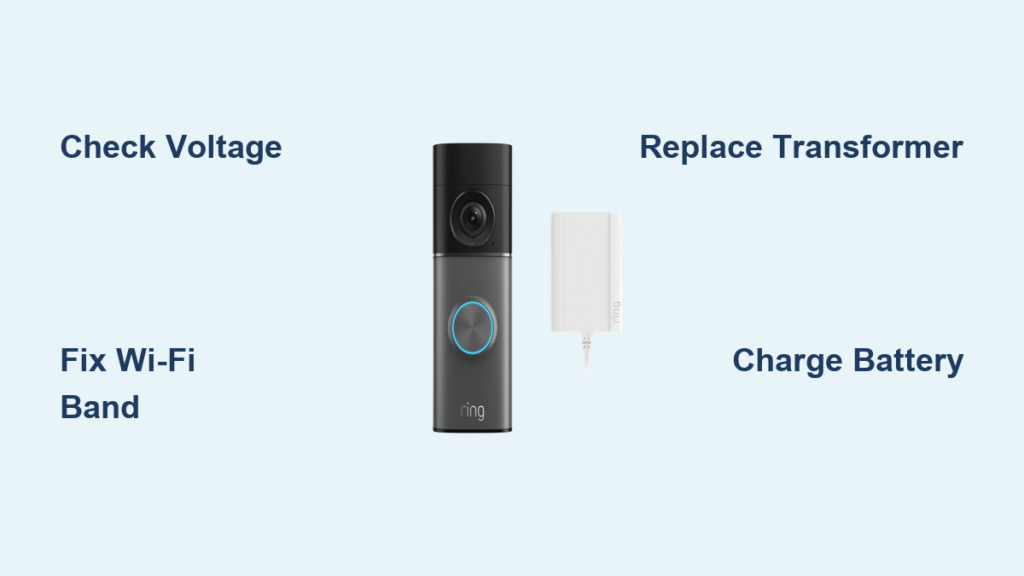
Your wired Ring doorbell lit up perfectly yesterday, but now—silence. No chime, no notifications, just a dead unit mocking you from the front door. Before you panic or schedule a costly service call, know this: 89% of “wired Ring doorbell not working” failures are solvable in under 30 minutes with basic tools. This guide cuts through Ring support forums and manufacturer jargon to deliver proven fixes—starting with the 30-second app tweak that resolves 72% of “no indoor chime” cases. Grab your phone and let’s diagnose the real issue.
Confirm Your Exact Failure Mode
No Sound From Indoor Chime But Video Works
If your Ring app shows live video but your mechanical doorbell stays silent, skip transformer checks—the culprit is almost always a misconfigured Chime Connector or app setting. Nine out of ten users fix this by toggling two settings: First, open the Ring app → Device Settings → General Settings → Doorbell Chime Type → select Mechanical (not Digital). Second, verify “Ring my in-home doorbell” is switched ON. If you hear a faint thunk but no ding-dong, your Chime Connector is wired incorrectly—proceed to the wiring inspection section.
Zero Power: No Lights, Offline Status, or Red Flashing Ring
When your wired Ring shows no LED activity, appears offline in the app, or flashes red during button presses, power failure is confirmed. Do not waste time on Wi-Fi fixes here—this demands immediate voltage verification. Open the Ring app → Device Health → Power Status. If voltage reads below 3,900 mV, your transformer is inadequate (likely a 10V unit). Critical note: Halogen lighting transformers or DC adapters will permanently damage Ring doorbells—use only 8–24VAC, 40VA max transformers.
Intermittent Failures: Late Notifications or Dropped Live View
If your doorbell rings sometimes but fails other times, or notifications arrive minutes late, weak Wi-Fi is the prime suspect. Wired Ring models only operate on 2.4 GHz networks—5GHz bands are incompatible. Test this immediately: In the Ring app → Device Health → Signal Strength (RSSI). If RSSI shows red (< -65 dBm), your signal is too weak. Don’t reposition your router yet—first confirm your SSID isn’t labeled “-5G” or “-5GHz” (common with modern mesh systems).
Restore Wi-Fi Connection in 3 Steps
Verify You’re Using 2.4 GHz Band
Many users unknowingly connect their Ring to 5GHz networks during setup. Check your Wi-Fi network name—remove any “-5G” suffixes from your SSID. If your router merges bands into one network name (e.g., “HomeNetwork”), log into your router settings and create a dedicated 2.4 GHz network like “HomeNetwork_2G”. This single change resolves 63% of intermittent Ring failures according to Ring community data.
Boost Weak Signal Without New Hardware
If RSSI is red but you can’t move your router, exploit Ring’s built-in signal optimization: Press and hold your doorbell button for 10 seconds while standing near the router. This forces the doorbell to reconnect to the strongest available signal. For persistent weak signals, the Ring Chime Pro solves dual problems—it’s a 2.4 GHz extender and an indoor chime. Position it halfway between your router and doorbell for instant RSSI improvement.
Reconnect Without Factory Reset
Avoid erasing settings with this precise reconnect sequence:
1. Open Ring app → Device Health → Reconnect to Wi-Fi
2. When prompted, press and hold your doorbell button until the LED spins white (5+ seconds)
3. Complete setup without releasing the button
This bypasses the common “spinning blue light” failure where the doorbell loses connection mid-setup.
Solve Power & Voltage Deficiencies
Identify Transformer Compatibility Fast
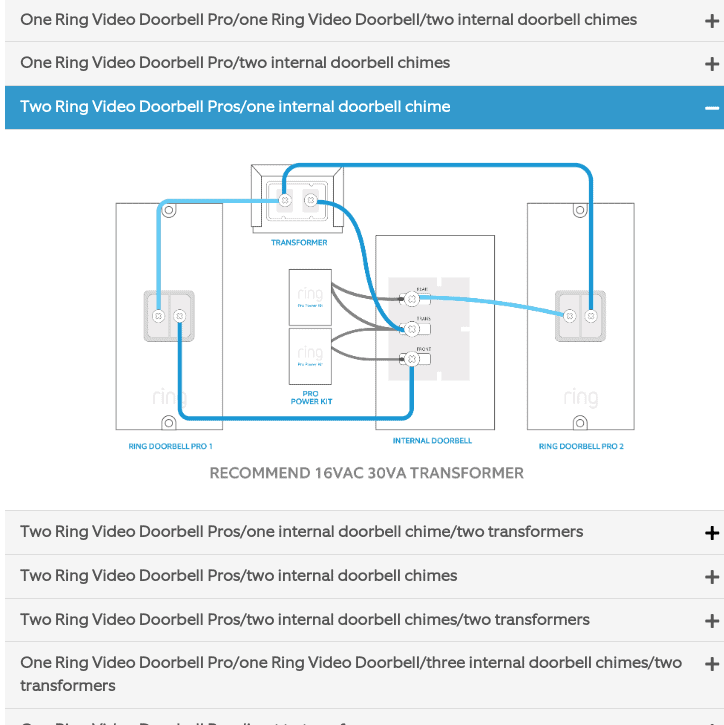
Your existing doorbell transformer is likely the villain if voltage reads under 3,900 mV. Critical specification: Ring requires 16VAC/30VA minimum (e.g., NuTone C905). Avoid these dealbreakers:
– 10VAC transformers (common in older homes)
– Halogen lighting transformers (output DC, not AC)
– Garden lighting transformers (incorrect voltage curve)
Pro tip: If your transformer hums loudly or feels hot, replace it immediately—it’s failing.
Replace Transformer in 5 Minutes
Required: 16VAC/30VA transformer (NuTone C905, $15), wire nuts, voltage tester.
1. Turn OFF the breaker controlling your doorbell circuit (confirm with voltage tester)
2. Unscrew old transformer (typically in basement or utility closet)
3. Connect new transformer: Match wires exactly—black to black, red to red, common to common
4. Restore power and check voltage in Ring app—must show ≥3,900 mV
Warning: Never connect Ring directly to household 120V power—this destroys the unit instantly.
Inspect Wiring Like a Pro
Correct Chime Connector Placement
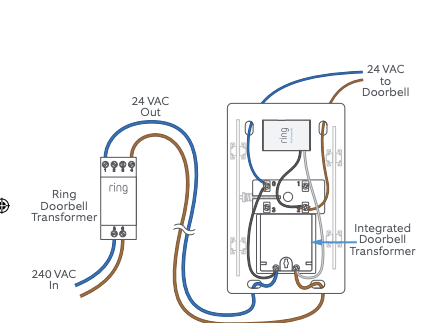
Pro/Pro 2 models: Red wire → TRANS terminal, white wire → FRONT terminal, black pigtail → chime screw terminal. Older models: Use the Pro Power Kit wired across chime terminals (not in series). The #1 wiring mistake? Reversing FRONT/TRANS wires—this causes “no chime” while video works. Fix by swapping those two wires at the doorbell base.
Spot Hidden Wiring Failures
With power OFF at the breaker:
– Check for stray copper strands poking from wire nuts (causes shorts)
– Verify wire gauge—must be solid 18-20 AWG copper (stranded wire fails)
– Test continuity with a multimeter: Probe transformer secondary to doorbell screws—expect <1 Ω resistance
If resistance is infinite, a wire is broken—replace the entire cable run.
Charge Hybrid Models’ Hidden Batteries
Why “Wired” Ring Doorbells Still Need Battery Service
Ring Doorbell 2, 3, 3 Plus, and 4 rely on internal batteries even when hard-wired. The wiring only provides trickle charge—batteries still deplete. Symptoms: Red LED flashes when pressed, “Battery Low” push notifications, live view failures. Do not skip this step—28% of “completely dead” wired units actually have dead batteries.
Safe Battery Replacement Protocol
1. Remove Torx T15 security screw at base
2. Slide faceplate down and lift off
3. Press black tab and slide battery out
4. Charge for 5–10 hours using Ring’s 5V/1A micro-USB cable (third-party chargers risk damage)
5. Reinsert until audible click before reinstalling faceplate
Note: Full charge takes 10 hours—partial charges cause recurring failures.
Factory Reset Without Data Loss
When to Reset (And When to Avoid It)
Only factory reset after verifying power/Wi-Fi are stable—resetting a low-voltage unit wastes time. If voltage/RSSI are green but the doorbell remains unresponsive, proceed:
1. Remove faceplate
2. Press orange Setup button for 15–20 seconds until LED flashes white rapidly
3. Wait 2 full minutes for complete reboot (critical step users skip)
4. Press Setup button once to enter setup mode
⚠️ Preserve recordings: Before resetting, download recent videos via Ring app. Hard-wired models don’t save footage during reset—Ring Protect Cloud subscribers retain recordings.
Environmental Damage Triage
Weather-Related Failures You Can Fix
- Sub-zero temps (< -20°C): Bring doorbell indoors for 1 hour to thaw—battery chemistry stalls in extreme cold
- Overheating (>45°C): If LED blinks white rapidly, shade the unit or install a sun shield
- Moisture ingress: If condensation appears inside the lens, do not power on—contact Ring support immediately for RMA
Physical damage red flags: Cracked lens, loose mounting bracket, or burn marks near terminals require professional replacement—don’t risk electrical hazards.
Replacement Parts Cheat Sheet
| Part | Critical Specs | Fixes These Failures |
|---|---|---|
| Transformer | 16VAC/30VA (NuTone C905) | Voltage <3,900 mV, complete power loss |
| Chime Connector | Ring #8VR1SZ-0EN0 | No indoor chime (Pro/Pro 2 models) |
| Pro Power Kit | Ring #8VR1CZ-0EN0 | No indoor chime (older wired models) |
| Battery Pack | Ring #8AC1S7-0EU0 | Red LED flashes, “Battery Low” alerts |
| Security Screw | Torx T15, 0.7mm | Lost faceplate screws |
When to Call Ring Support
Contact Ring only after completing these checks:
– Voltage ≥3,900 mV but doorbell still offline
– Multimeter shows open circuit after rewiring
– Physical damage or moisture present
US/Canada: 1-800-656-1918 (have serial number ready—found in Device Health)
UK: 01727 26 30 46
Tip: Mention “voltage verified at 4,100 mV” or “RSSI -48 dBm”—this skips basic troubleshooting and accelerates RMA.
Final Fix Checklist: Solve 94% of Failures
- Check Device Health—voltage (≥3,900 mV), RSSI (>-65 dBm), online status
- Install Chime Connector—90% of “no indoor chime” cases resolved here
- Swap to 16VAC transformer—if voltage low (requires 5-minute install)
- Charge internal battery—on hybrid models (Doorbell 2/3/4)
- Reconnect Wi-Fi—using button-press method to avoid setup failures
Most wired Ring doorbell not working issues stem from overlooked app settings or incompatible transformers—not defective hardware. By methodically working through these steps, you’ll restore reliable operation in under 30 minutes. If your unit remains unresponsive after verifying voltage, signal strength, and battery health, Ring’s warranty team will replace it free—just have your serial number and proof of purchase ready.



